Wednesday, February 4, 2015

Text editor (command line)

Raspberry pi text editor (command line)

Note: This is a translation of the Spanish version of my blog article I posted some years back

Before even mastering the command line, you will need to learn a way to edit text files from the command line. Be it to make configuration changes, or write a script (sequence of commands), you'll be a lot more productive if you learn how to use one.

Raspbian comes equipped with nano (easy to use when starting out) and vi (the standard - found on all *nix servers and desktops), but, there is something even better: vim (VI iMproved)

If you've never used vi before, might want to start with nano instead, or read a vi tutorial or even better, an interactive vim tutorial (highly recommended!!), and cheat sheet)

Normally, on Linux and modern Unix, vi is really vim, but on Raspbian, vi is vi. Let's change this:
fdion@raspberrypi ~ $ sudo apt-get install vim
There are a few things to add to .vimrc to make it better (in /home/user):

syntax on
filetype indent plugin on
set modeline

fdion@raspberrypi ~ $ pwd
/home/fdion
fdion@raspberrypi ~ $ vi .vimrc
(type i for insert, type the above 3 lines, hit Escape and :wq)
fdion@raspberrypi ~ $ ls .vimrc
.vimrc
Excellent, now scripts and code (like Python) will look much better, easier to read in color:


fdion@raspberrypi ~ $ vi file.py 


There are a few lines you will want to use specifically for Python scripts:


The first line is always the "shebang" line:

#!/usr/bin/env python

Here, we tell the operating system shell executor to pass the script to the python interpreter. For other interpreters, just replace python with whichever interpreter will handle the script.

Another thing for a python script that I like to use, a docstring (description) for the script, between """ and """. 

The seventh line above (in the code example) is for vim itself for proper tabs as 4 spaces (you want that for aligning your Python code, and is a nice to have in general for shell scripting):

# vim: tabstop=4 expandtab shiftwidth=4 softtabstop=4


If you are dealing with utf-8 code (for example accents or special characters) then you need to define the following:

# vim: set fileencoding=utf-8


Francois
@f_dion

Tuesday, February 3, 2015

Revisiting "going in the wrong direction"

The original


At the beginning of 2013, I posted "Going in the wrong direction". I figured it would be a good time to revisit the theme. From 2012 to 2015, what does $35 buy you, and did we ever reach the predicted $20 / sub $20 computing units?

Sure, microcontrollers have come down in price. For example, an ARM based unit:


But what about computers with an OS?

 The follow up

It's on my new blog, talking a bit about the progression of inexpensive tech, thanks to Moore's law:

3D Future Tech - Moores law in action

Check it out!

Francois
@f_dion

Monday, February 2, 2015

Raspberry Pi 2

Maintenance mode


If you've tried to access the forum on raspberrypi.org today, you got:


Tuesday, January 27, 2015

A new blog on future tech and innovation

I invite you to visit and bookmark my multilingual future tech / innovation / 3D blog. I just started it, and I think you'll like it:

http://3dfuturetech.blogspot.com/

There might be some cross posts, particularly since Python and the Raspberry Pi are used in so many innovations.

Sunday, January 25, 2015

Rocket man and the Near Space Circus

Space = rockets


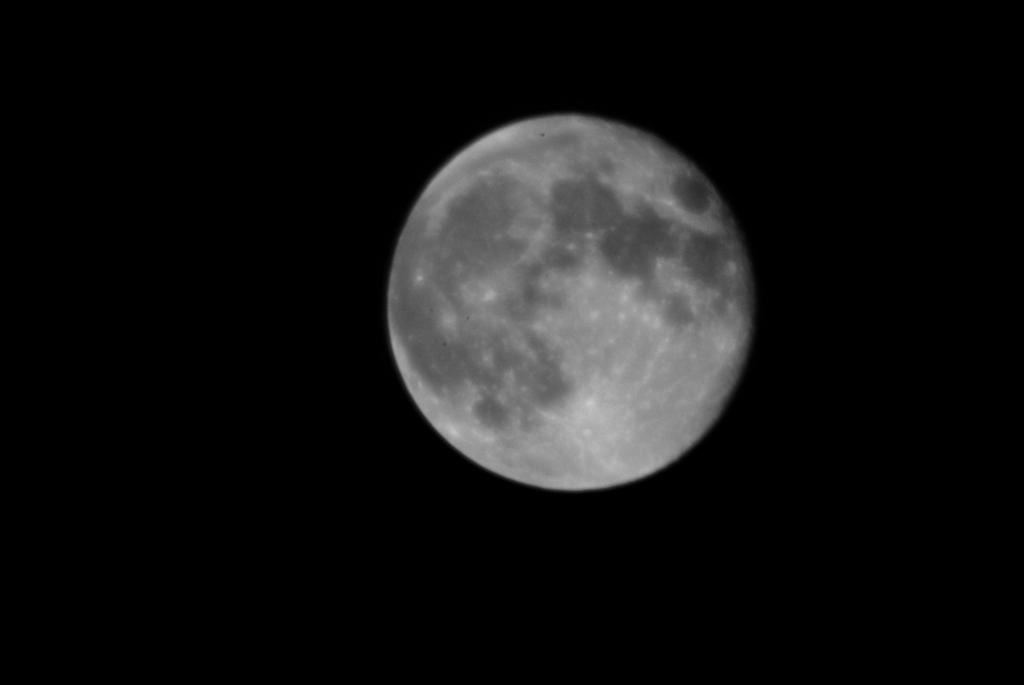
That's what we tend to equate, cause we love them rockets... And, to reach space, it does require a rocket of some sort, at this point. To "explore" space however, at a minimum, only requires a cloudless night, away from the city, and there, with the naked eyes, you can watch the stars, not just a few, but hundreds (some apparently can see upwards of 3000!). Or perhaps you choose a full moon. One can get pretty close even with a 35mm or digital camera with a modest zoom and a tripod.

The Moon, Sept. 9th 2014, DSLR at 270MM

Albedo 0.39


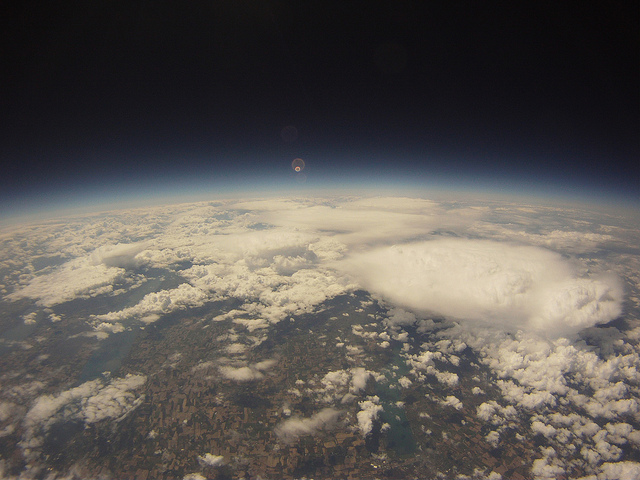
The Moon is nice and all, and is great for black and white photography. And there is nothing wrong with that. In fact, there was an interesting talk back in 2012 by Fred Alger, at PyCarolinas: "Sysadmining Python to the Moon". But the blue planet, the earth is a lot more impressive (picture from that talk):

curvature.jpg

Except that we are back to rockets again? Or are we? Both Fred's talk and mine that year talked about a near space option.

Near Space


Weather balloons will get you into near space. Space officially starts at 100KM, but one can reach 35-40KM with a latex balloon filled with Helium. Add a parachute, a radar reflector and a payload, and you have your own little private launch and recovery system.

And nowadays, the payload options are numerous. The main thing is that we are no longer limited to sending microcontrollers, but can send actual computers running an operating system, and executing Python code.

An obvious candidate is the Raspberry Pi. Dave Akerman (whom I had mentionned in my talk) has been sending them into space for well over two years now. So when he sent a tweet earlier this month about the Global Space Balloon Challenge, I knew this would be the perfect project for our local Python user group, using a payload with Raspbian Linux and Python on a Raspberry Pi model A+. So many projects are possible within this project.

Hence, Team Near Space (Flying) Circus was born. Let's hope the snake and the penguin will play nice up there...

François
@f_dion

Tuesday, January 6, 2015

significant pep257 change

Python documentation standard

After getting used to putting a blank line before (for symmetry) and after (to separate the method) a class docstring, for what seems like an eternity (it's been in PEP257 for over 10 years I think), I was doing some code review today and was asked about why add a blank line between the class and docstring. So I quoted pep257:

Multi-line Docstrings
Insert a blank line before and after all docstrings (one-line or multi-line) that document a class -- generally speaking, the class's methods are separated from each other by a single blank line, and the docstring needs to be offset from the first method by a blank line; for symmetry, put a blank line between the class header and the docstring. Docstrings documenting functions or methods generally don't have this requirement, unless the function or method's body is written as a number of blank-line separated sections -- in this case, treat the docstring as another section, and precede it with a blank line.

I have a pep257 tool that highlights exactly that and the wording is still there on this site:

But, it appears that this disappeared from:

I also found this mercurial changeset:

Looks like Guido Van Rossum made the change. Any idea why, beside the fact that as BDFL he can?

François
@f_dion

Friday, January 2, 2015

L'étonnant Python: à grande échelle

Perception

De temps a autres, j'entends dire des choses complètement ridicules:

"Ah oui vous utilisez Python. Je connais, c'est un langage de programmation pour écrire des petits scripts, ce n'est pas utilisable à grande échelle.

(En fait il y avait 2 autres points encore plus ridicule dans cette conversation, j'y reviendrai plus tard)

Réalité

Une connaissance travaille chez Bank Of America sur le programme Quartz. Ils sont passes de 0 a 5000 développeurs Python et des millions (plus de 10) de lignes de code en quelques années seulement. On parle de la même échelle pour YouTube. Les projets de 10 millions+ de lignes de code Python sont rares bien sur, mais ce n'est pas du a une raison technique, mais plutôt parce que l'on accomplis beaucoup en peu de lignes de code.

François
@f_dion