That's the lightning talk that was selected by poll. That is going to be interesting to see how much info I can cram on dtrace and its use with Python in a quick lightning talk.
I'll see you at PYPTUG on monday night.
François
@f_dion
Sunday, June 23, 2013

Friday, June 14, 2013
Pygame sound play
Música de fondo

En la lista Python tutor (en ingles) se hizo la pregunta de como añadir música en un vídeo-juego con pygame. Pueden leer mi respuesta en ingles en los archivos, o aquí en español. Es muy sencillo:
4 lineas, nada mas
Podemos hacerlo con python directamente en modo interactivo. La primera es incluir pygame.
>>> import pygame
Como es un juego pygame, es siempre presente, asi que en realidad hay que añadir solo 3 lineas mas.
>>> pygame.mixer.init(22050,-16,2,4096)
Las opciones del init, es según lo que uno desea (44100KHz o 22050KHz etc) o solo un init()
>>> snd = pygame.mixer.Sound("bach-cello-suite-1.wav")
>>> music = snd.play()
>>> music.get_busy()
1
>>> music.get_busy()
1
>>> music.get_busy()
0
Obviamente, el fichero .wav debe ser con el script .py o donde se ejecuta python.
François
@f_dion
dtrace: Python instrumentation
...where time becomes a loop
Last year, I mentionned that it was time for the Python community to embrace dtrace. I've gotten questions left and right, at user groups, through email etc as to what is dtrace and how it ties in with Python.
This week, a few posts on the Argentinian and Venezuelan Python lists on debugging Python and a total absence of a mention of dtrace and I knew I had to do a writeup. But before we get into the details, let's step back a bit.
Party like it's 1999 2004
Back in the 1990s I was using Povray (there is a Python API) to do photo quality rendering of made to order products. Eventually, I had to switch to OpenGL, C++, Sun Studio and hardware acceleration in order to keep up with the demand (over 20,000 during normal business hours and there are less than 30,000 seconds during that period of time). A few years later, at peak hours I was serving on the web over 100 renders per second.Even if I had switched to OpenGL on that particular system, I continued working with Povray in other areas, particularly to design optical systems and build stuff that required visual quality over quantity. While Povray under Windows was fast enough, it felt much slower under Solaris and Linux (whereas my own code ran much faster on Solaris than Windows).
dtrace: First Contact
I posted the following to the solaris-x86 Yahoo group in November of 2004:
I finally ran Povray 3.5 benchmark 1.02 on the exact same hardware and here are the results:
Hardware:
Dell GX260
Pentium 4 2.4GHz
512MB ram
Hitachi 40 GB 7200 rpm
ATI Radeo 7500
Under Windows 2000 SP4, official Povray 3.5 win32 release:
Time for Parse: 2 seconds
Time for Photon: 54 seconds
Time for Trace: 36 min 47 seconds
Total time: 37 min 43 seconds
Under Solaris 10 B69, Blastwave Povray 3.5 x86
Time for Parse: 7 seconds
Time for Photon: 1 min 12 seconds
Time for Trace: 53 min 14 seconds
Total time: 54 min 33 seconds
Al Hopper suggested dtrace. I knew what it was (at the time, a Solaris only feature, now also available on Mac OS/X, FreeBSD, SmartOS, OpenIndiana and other IllumOS based OSes, and now Linux with dtrace4linux), but I hadn't taken the time to use it in real world cases. So I looked into it.
Instrumentation TNG
 |
| Which one is my blood pressure?? |
Here is what I posted back then:
I finally had a few minutes to play around with povray and dtrace this afternoon. I followed the suggestion made by Adam Leventhal on his Blog to run:And that is how a one liner dtrace script helped in debugging my performance problem with Povray. The nice thing is that you didn't even need the source to know what exactly what was going on in the code, in real time, without step by step debugging.
# dtrace -n 'pid$target:::entry{ @[probefunc] = count() }' -p <process-id>
(replace <process-id> by the pid of povray)
So what I did is run povray, get its process id with ps, then run the above. Once it rendered line 1, I ctrl-c. dtrace then spit out what I needed to know. I dont have any reference to compare as to what optimisation was done exactly on the windows build. However, running the above dtrace command on that process does reveal something:
I know it is spending a lot of time in DNoise / Noise, because it's called a bazillion times. Actually almost 10million times for the pair - the only other call that is called as much is memcpy, haven't investigated yet from where, but there might be an opportunity to combine memcpy. It also points out that a fast FSB and faster memory will definitely pull in front for equal cpu.
Anyway, back to Povray, looking at texture.cpp (line 169 and following):
/*****************************************************************************/
/* Platform specific faster noise functions
support */
/* (Profiling revealed that the noise functions can take up to 50%
of */
/* all the time required when rendering and current compilers
cannot */
/* easily optimise them efficiently without some help from
programmers!) */
/*****************************************************************************/
#if USE_FASTER_NOISE
#include "fasternoise.h"
#ifndef FASTER_NOISE_INIT
#define FASTER_NOISE_INIT()
#endif
#else
#define OriNoise Noise
#define OriDNoise DNoise
#define FASTER_NOISE_INIT()
#endif
Haha! Fasternoise.h (only found in the Windows source, not the Unix source) includes
/*****************************************************************************/
/* Intel SSE2
support */
/*****************************************************************************/
#ifndef WIN_FASTERNOISE_H
#define WIN_FASTERNOISE_H
#ifdef USE_INTEL_SSE2
int SSE2ALREADYDETECTED = 0 ;
DBL OriNoise(VECTOR EPoint, TPATTERN *TPat) ;
void OriDNoise(VECTOR result, VECTOR EPoint) ;
#include "emmintrin.h"
#include "intelsse2.h"
#undef ALIGN16
#define ALIGN16 __declspec(align(16))
#endif
#endif
BTW, with DTrace it only took me a few minutes total (including running povray for 3 minutes) to identify the culprit. Under windows it would have taken me hours.
So on Solaris x86, need to add USE_INTEL_SSE2 and USE_FASTER_NOISE as compile switches and add fasternoise and the various other includes from the windows source to the unix source.
Instrumenting Python
So, what is the Python connection? When running a dtrace equipped version of Python, you can use dtrace on your Python scripts. On Solaris, this has been available since 2007 (in OpenSolaris).
Unfortunately on other OSes, it hasn't been the case. Jesus Cea has been trying to get John Levon's patches integrated with CPython since before 2.7 and 3.2 came out. Not sure what is needed to make this happen, but it is long overdue. At least some distro builders should have the patched Python available, but it really needs to be incorporated into the official build.
Anyway if you look at a Solaris 11 system, it has Python 2.6 as the default, and it is ready for dtrace:
 $ dtrace -lP python*
   ID  PROVIDER      MODULE             FUNCTION NAME
  1044 python1905 libpython2.6.so.1.0        PyEval_EvalFrameEx function-return
  1045 python1905 libpython2.6.so.1.0           dtrace_return function-return
  1046 python1939 libpython2.6.so.1.0        PyEval_EvalFrameEx function-entry
  1047 python1939 libpython2.6.so.1.0           dtrace_entry function-entry
  1048 python1939 libpython2.6.so.1.0        PyEval_EvalFrameEx function-return
  1049 python1939 libpython2.6.so.1.0           dtrace_return function-return
  1050 python1945 libpython2.6.so.1.0        PyEval_EvalFrameEx function-entry
  1083 python7640 libpython2.6.so.1.0        PyEval_EvalFrameEx function-return
  1084 python7640 libpython2.6.so.1.0           dtrace_return function-return
  1100 python11695 libpython2.6.so.1.0           dtrace_entry function-entry
  1101 python11695 libpython2.6.so.1.0        PyEval_EvalFrameEx function-return
  1102 python11695 libpython2.6.so.1.0           dtrace_return function-return
  1103 python11699 libpython2.6.so.1.0        PyEval_EvalFrameEx function-entry
  1214 python11693 libpython2.6.so.1.0        PyEval_EvalFrameEx function-entry
  1215 python11693 libpython2.6.so.1.0           dtrace_entry function-entry
  1219 python11699 libpython2.6.so.1.0           dtrace_entry function-entry
  1220 python11699 libpython2.6.so.1.0        PyEval_EvalFrameEx function-return
  1221 python11699 libpython2.6.so.1.0           dtrace_return function-return
  1226 python11693 libpython2.6.so.1.0        PyEval_EvalFrameEx function-return
  1227 python11693 libpython2.6.so.1.0           dtrace_return function-return
  1228 python11695 libpython2.6.so.1.0        PyEval_EvalFrameEx function-entry
  2248 python1905 libpython2.6.so.1.0        PyEval_EvalFrameEx function-entry
  2249 python1905 libpython2.6.so.1.0           dtrace_entry function-entry
  2250 python23832 libpython2.6.so.1.0        PyEval_EvalFrameEx function-entry
  2251 python23832 libpython2.6.so.1.0           dtrace_entry function-entry
  2260 python7640 libpython2.6.so.1.0        PyEval_EvalFrameEx function-entry
  2261 python7640 libpython2.6.so.1.0           dtrace_entry function-entry
  2315 python23832 libpython2.6.so.1.0        PyEval_EvalFrameEx function-return
  2316 python23832 libpython2.6.so.1.0           dtrace_return function-return
  7670 python2936 libpython2.6.so.1.0           dtrace_entry function-entry
  7671 python2936 libpython2.6.so.1.0        PyEval_EvalFrameEx function-return
  7672 python2936 libpython2.6.so.1.0           dtrace_return function-return
  7750 python14523 libpython2.6.so.1.0        PyEval_EvalFrameEx function-entry
  7751 python14523 libpython2.6.so.1.0           dtrace_entry function-entry
  7752 python14523 libpython2.6.so.1.0        PyEval_EvalFrameEx function-return
  7753 python14523 libpython2.6.so.1.0           dtrace_return function-return
 12339 python1945 libpython2.6.so.1.0           dtrace_entry function-entry
 12340 python1945 libpython2.6.so.1.0        PyEval_EvalFrameEx function-return
 12341 python1945 libpython2.6.so.1.0           dtrace_return function-return
 12345 python2936 libpython2.6.so.1.0        PyEval_EvalFrameEx function-entry
 12347 python1219 libpython2.6.so.1.0        PyEval_EvalFrameEx function-entry
 12348 python1219 libpython2.6.so.1.0           dtrace_entry function-entry
 12349 python1219 libpython2.6.so.1.0        PyEval_EvalFrameEx function-return
 12350 python1219 libpython2.6.so.1.0           dtrace_return function-return
The probes are specific to Python. In the original dtrace call I had used for debugging a C++ binary (Povray), I was using the pid provider and entry probe:
# dtrace -n 'pid$target:::entry{ @[probefunc] = count() }' -p <process-id>
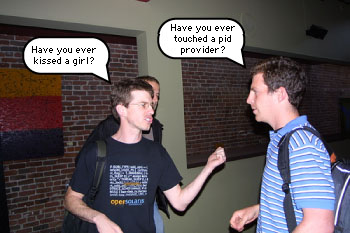
But we are no longer in 2004 and I'm not interested in the performance of Povray right now, I just want to figure out how many checksums my pingpong.py script is doing (a little module to keep a tab on my machines and their latencies), and what else is going on at the top.
So, this time I'll modify it to use the python provider instead of the pid provider and using the function-entry probe (still doing a count):
 # dtrace -qZn 'python$target:::function-entry{ @[copyinstr ( arg1 )] = count() }' -c ./pingpong.py
 [...]
  register                                                         10
  abstractmethod                                                   15
  __new__                                                          17
  <genexpr>                                                        35
  <module>                                                         48
  exists                                                           49
  S_IFMT                                                           53
  S_ISDIR                                                          53
  isdir                                                            56
  makepath                                                        100
  normcase                                                        100
  abspath                                                         113
  isabs                                                           113
  join                                                            113
  normpath                                                        113
  ping_pong                                                      1000
  checksum                                                       4000
  close                                                          4000
  do_one                                                         4000
  fileno                                                         4000
  receive_one_ping                                               4000
  send_one_ping                                                  4000
  __init__                                                       4007
With 1000 ping_pong() I was expecting 3000 checksums. Ah, I see I'm sending 4000 pings, so apparently I have a for that is not properly bounded (on purpose, to illustrate an example of what even something as simple as this can tell us).
To infinity and beyond
But that is not even touching the tip of the iceberg. How about creating heatmaps (node.js and dtrace in this case)? To do something like that with Python and dtrace, a good starting point is
You should also check out the following tutorial http://dtracehol.com/#Exercise_11 that was part of a tutorial session on dtrace at Java One last year (yep, Python at Java One).
François
@f_dion
Monday, June 10, 2013
Added a contact form
I've never displayed my email directly on the blog, due to spammers. But at the same time, it did prevent some communication. Sure, you can subscribe to my blog, but couldn't email me, unless we had met in person and you had gotten my "carte de visite" (a visiting or calling card) or my business card.
I sign my posts with my twitter id ( @f_dion ) and it is possible to contact me through it, but I do realize that sometimes it is much better to use email.
Contact Form
I've now added a contact form (on the right side, last widget at the bottom). You'll be able to contact me that way.
François
@f_dion
Friday, June 7, 2013
Alcyone and on and on
SELF 2013
I had to share these snapshots I took at SELF 2013 (south east Linux fest in Charlotte, NC) today. Went there mostly for some database talks, but there were 2 raspberry Pi related presentations today. There is another one tomorrow at 4pm (Ruth Suehle, Easy As Raspberry Pi: Getting Started)One was Alcyone:
 |
| Moog Taurus bass pedals? Almost |
 |
| Raspberry Pi powered Alcyone |

Joseph used C and a non realtime kernel Linux (such as Raspbian). But it is possible to do this also using Python. Pygame would be one natural choice for that.
I'll follow up in a few days with some more details and some information on the other Raspberry Pi talk from today's program (Mike Brown, Linux On Arm).
François
@f_dion
Brython a Toulon

Au programme de Pytong (http://pytong.org/orateurs.html) a Toulon, on retrouve une présentation de Brython (http://www.brython.info), avis aux intéressés!
François
@f_dion
Monday, April 29, 2013
Python: Los Alamos Memo 10,742
Tonight at our local PYPTUG meeting (local Python User Group), I'll do a lightning talk on Los Alamos Memo 10.742.
I'll post the code and everything later and it will probably be of interest to anybody learning Python. I cant say much more than this (and, no, it's not a classified memo).
François
@f_dion
I'll post the code and everything later and it will probably be of interest to anybody learning Python. I cant say much more than this (and, no, it's not a classified memo).
François
@f_dion
Subscribe to:
Posts (Atom)